

Audience-Based Employee Matching: Build Better Programs Without Extra Admin Work
Audience-based employee matching helps People teams connect the right employees for the right reason without manually reviewing every pair. Instead of running one broad random coffee program, you group employees by role, location, tenure, department, interest, or program goal, then let a structured matching workflow create useful introductions inside Slack or Microsoft Teams.
That matters because most connection programs fail in the middle: they start with enthusiasm, then become another spreadsheet, reminder thread, and follow-up chore. A better design gives each audience a clear purpose, simple matching rules, and lightweight feedback so the program keeps improving without becoming a full-time admin job.
Start with the outcome, not the audience list
The first mistake is building audiences around the data you already have: office, department, manager, title, or start date. Those fields are useful, but they are not the strategy. Start by naming the business outcome first.
For onboarding, the outcome might be faster employee integration. A new hire needs a buddy who can explain informal norms, a cross-functional contact who can answer “who knows what,” and a light social connection that makes the company feel less anonymous. LEAD.bot supports onboarding buddies and employee matching inside the tools your team already uses, so the program can run without asking HR to chase every introduction manually.
For knowledge sharing, the outcome is different. You may want to connect experienced employees with newer teammates, pair people across functions, or surface hidden experts before teams duplicate work. In that case, your audience should reflect expertise, project exposure, and collaboration gaps rather than only department labels.
For silo reduction, the goal is cross-team trust. A useful matching program might pair sales with product, regional teams with headquarters, or managers with peers in adjacent functions. The audience design should make those bridges intentional, not accidental.
Use audience rules to protect relevance
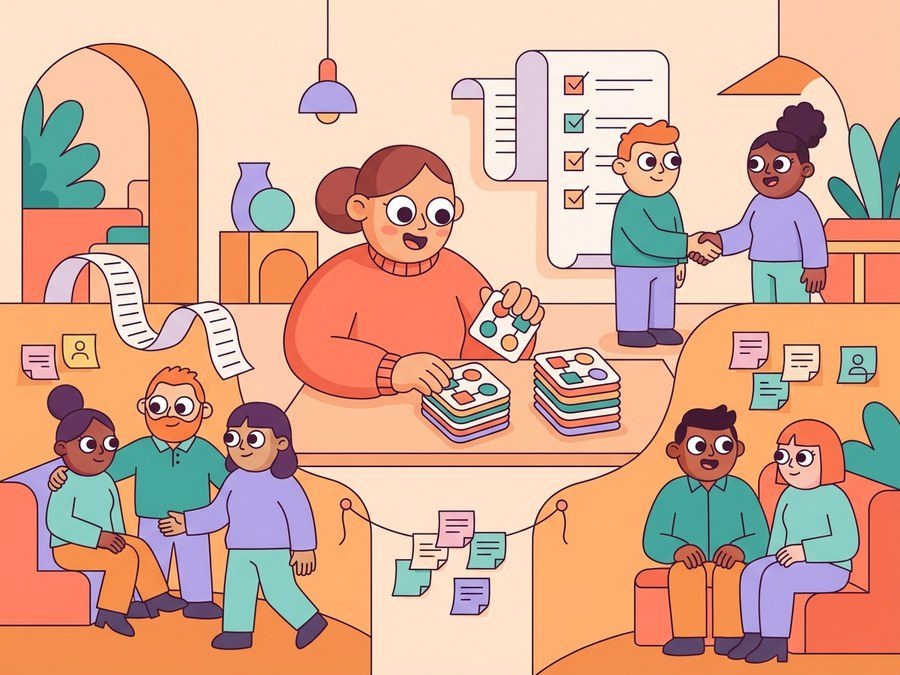
Once the outcome is clear, audience rules keep the program from feeling random. The point is not to create complex segments for their own sake. The point is to protect relevance so employees can see why the match makes sense.
A simple onboarding audience could include employees who joined in the last 30 days, exclude direct managers, and match each person with someone outside their immediate team. A mentoring audience could group employees by skill interest, tenure, or learning goal. A regional connection audience could prioritize time-zone overlap and cross-location pairing so employees are not asked to meet at impossible hours.
This is where many programs become too heavy. If People teams need to rebuild the spreadsheet every cycle, review every pair, and send every nudge, the program will eventually slow down. LEAD.bot is designed for structured connection programs that can be set up once, run in Slack or Microsoft Teams, and support repeatable workflows like social coffee chats, peer learning, reverse mentorship, and knowledge sharing.
Good rules should answer three questions:
- Who should be eligible for this program?
- Who should not be matched together?
- What kind of connection would make the meeting useful?
If a rule does not answer one of those questions, it may be administrative decoration rather than program design.
Match different audiences to different connection workflows
Not every audience needs the same rhythm. New hires may need frequent touchpoints during the first month. Cross-functional mentoring may work better monthly. Team connection programs may be lighter, with short prompts and optional follow-ups.
A practical employee matching system should let you separate these workflows instead of forcing every employee into one generic program. You might run:
- onboarding buddy matches for new hires
- peer mentoring circles for employees building new skills
- cross-department introductions for silo reduction
- virtual coffee chats for broader team connection
- pulse surveys to understand whether the program is working
This matters because employee connection is not just “more meetings.” The value comes from matching the format to the need. A new hire buddy meeting should reduce uncertainty. A cross-team knowledge-sharing match should help someone find context faster. A virtual coffee chat should strengthen belonging without creating calendar fatigue.
LEAD.bot combines matching, Watercooler conversations, celebrations, and pulse surveys so People teams can run multiple connection workflows from one place. You can learn more about the platform at LEAD.app and compare structured connection use cases on the employee connection app comparison page.
Keep feedback lightweight enough that people answer
Audience-based matching improves when you collect feedback, but feedback can also become noise. If every introduction creates a long survey, employees will ignore it. If you never ask anything, you cannot tell whether the program is helping.
The best approach is lightweight: ask whether the match happened, whether it was useful, and what should change next time. For onboarding, you may care about confidence and clarity. For mentoring, you may care about learning progress. For cross-team connection, you may care about whether employees discovered a useful person, process, or resource.
Pulse surveys help here because they are short, timely, and tied to a specific program. They give People teams a way to spot gaps without turning connection into another performance review. LEAD.bot’s pulse survey and relationship intelligence features help teams understand organizational network health while keeping the employee experience human.
Make the admin model sustainable
A connection program should not depend on one heroic HR manager remembering every detail. Build the admin model as if the program will run for a year.
That means documenting the audience goal, setting clear eligibility rules, choosing a matching rhythm, writing reusable prompts, and reviewing results on a simple cadence. It also means knowing when to split a broad audience into smaller programs. If one matching pool includes new hires, executives, frontline teams, and remote employees, the program will probably feel generic to everyone.
The stronger approach is modular. Run separate workflows for onboarding, mentoring, knowledge sharing, and cross-team connection. Keep each workflow simple enough to explain in one sentence. Then use automation to handle the recurring work: pair creation, reminders, check-ins, and basic reporting.
If your team is trying to move beyond ad hoc introductions, start with one audience and one measurable outcome. For example: “Help new hires build three useful internal connections in their first 30 days.” From there, you can expand to cross-functional mentoring, regional connection, or knowledge-sharing programs without losing control.
LEAD.bot is built for that operating model: structured employee matching, onboarding buddies, knowledge sharing, and team connection inside Slack and Microsoft Teams. The goal is not to add another HR process. The goal is to make useful workplace connections happen consistently, with less manual coordination and more trust across the organization.
For related guidance, see how to manage onboarding buddy programs without admin burnout and how smart employee matching can prevent knowledge gaps.
