

Build a Knowledge Management Framework That Gets Used
Your team already has the knowledge it needs. The problem is finding it before work slows down. A strong knowledge management framework helps you organize information, keep it current, and make it easier for people to use in the flow of work.
If you are building one now, start simple. Focus on the habits, structure, and ownership that help your team find answers quickly. Then choose tools that support that behavior instead of adding another layer of clutter.
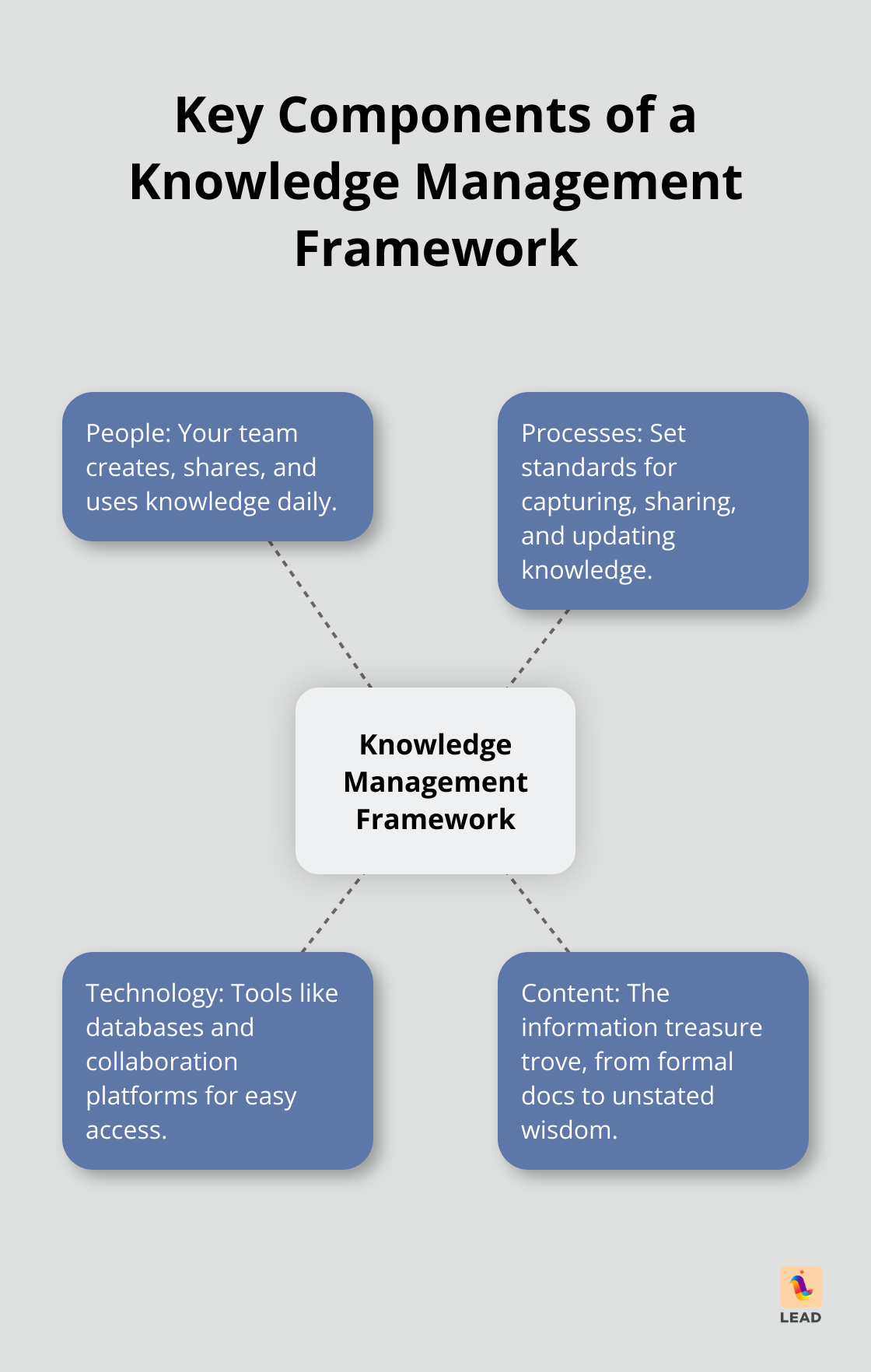
What a knowledge management framework includes
A useful framework brings together four things: people, processes, technology, and content. People create and share knowledge. Processes define how information gets captured, reviewed, and updated. Technology makes that information searchable and accessible. Content is the knowledge itself, from documentation to playbooks to expert know-how.
The goal is not to save everything forever. The goal is to help your team find the right answer at the right moment. That is what turns a knowledge management framework from a storage system into an operating system for everyday work.
If you are also reviewing tools, this guide on how to choose the best knowledge management platform can help you compare options more clearly.
Why teams need more than a shared drive
Most teams do not struggle because they lack information. They struggle because information is scattered across docs, chats, and personal folders. Research commonly cited by workplace studies shows employees spend a meaningful part of the week searching for what they need instead of doing the work itself.
A clear knowledge management framework reduces that friction. It gives your team a shared structure, clear owners, and a standard way to publish and maintain important information. That matters even more when onboarding new hires, supporting distributed teams, or introducing AI tools that depend on reliable source material.
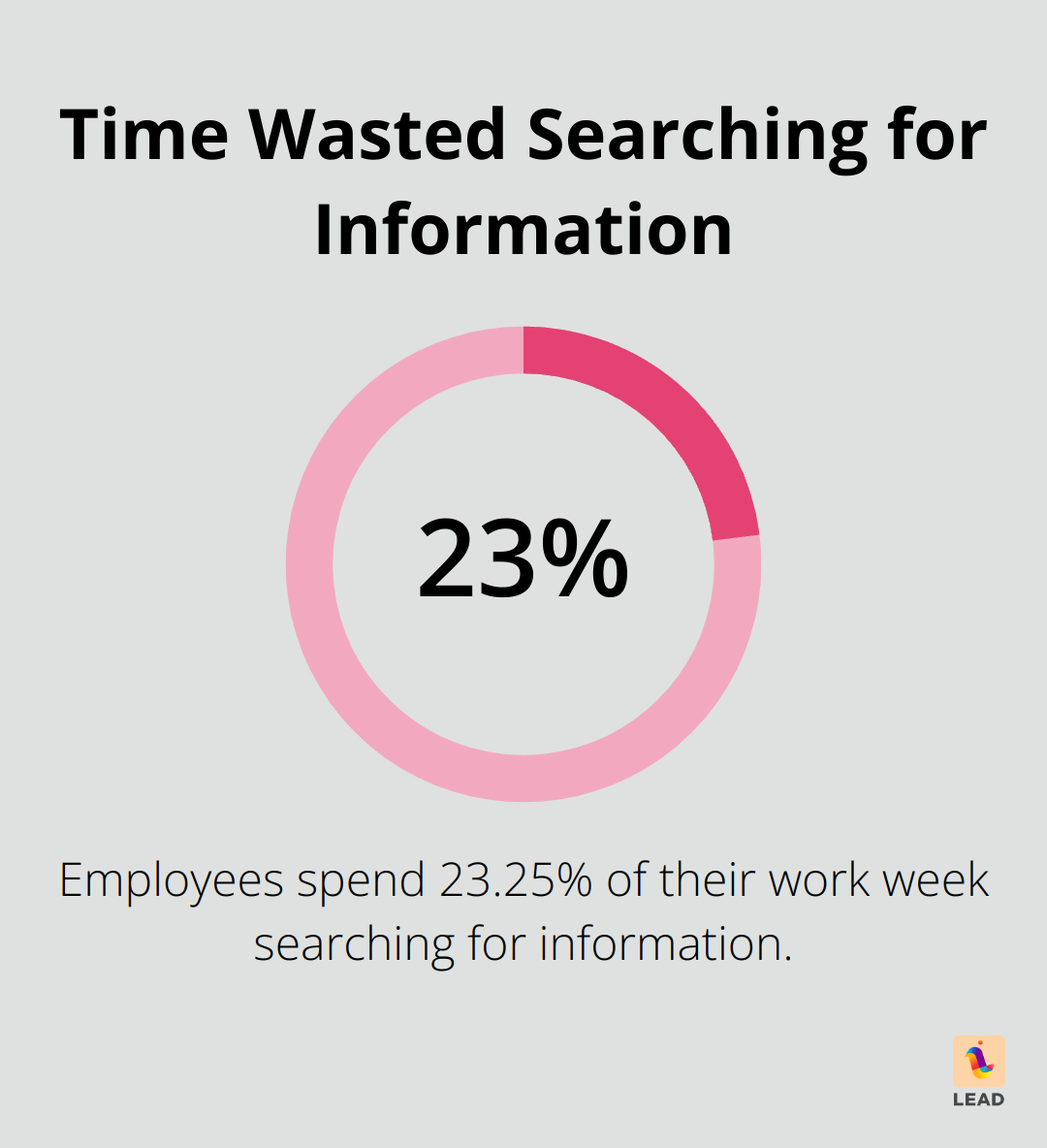
When you pair structure with the right habits, the payoff is practical. People ramp faster, repeat questions drop, and teams spend less time recreating work that already exists. If onboarding is part of your challenge, these employee check-in best practices are another strong support for knowledge sharing.
How to build your framework step by step
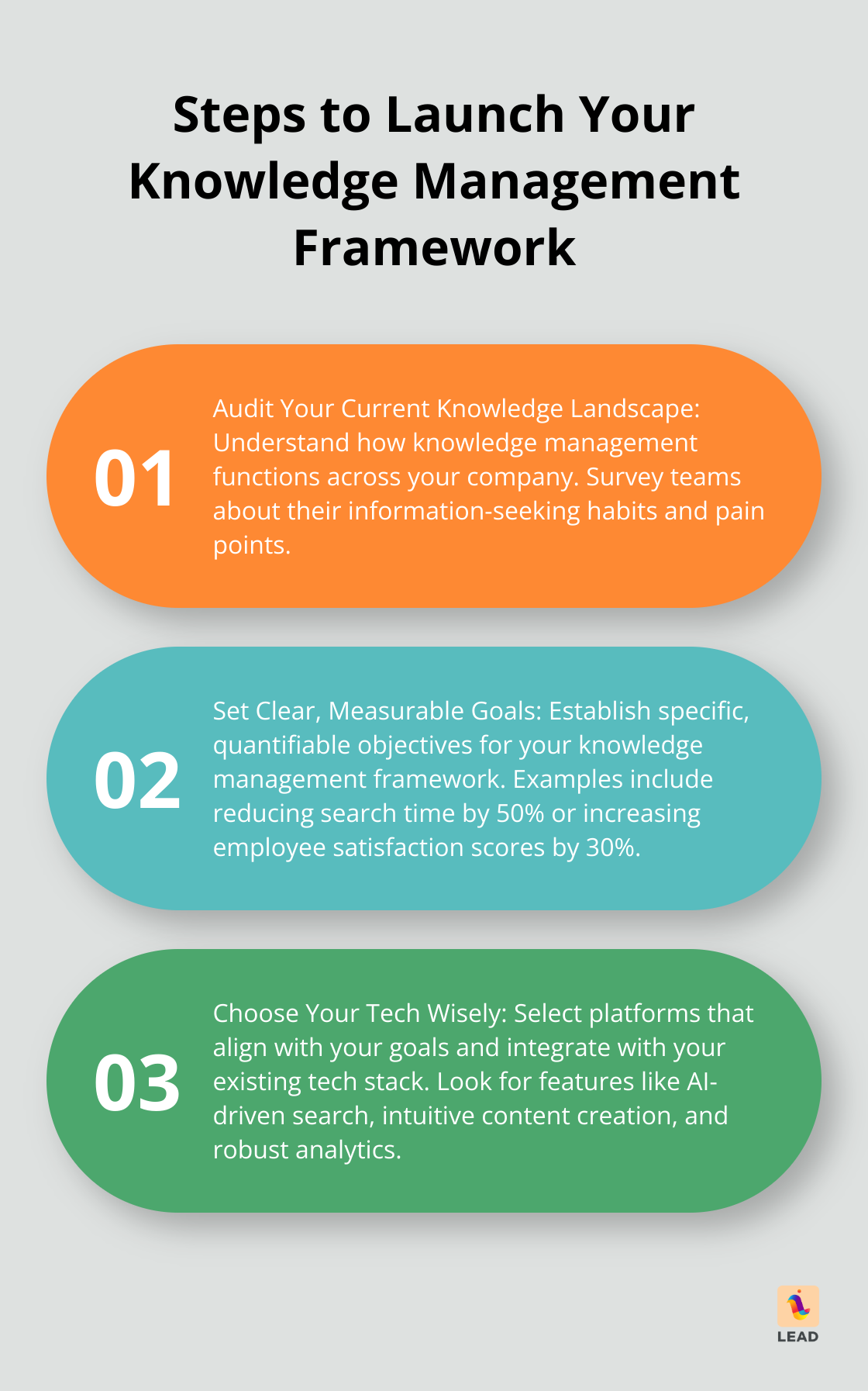
1. Audit what exists today
Start by mapping where knowledge lives now. Look at your docs, team channels, meeting notes, and process guides. Then ask your team where they actually go when they need answers. That gap between official systems and real behavior is where most framework problems begin.
2. Define clear ownership
Every key area should have an owner. Someone needs to decide what gets added, how often it gets reviewed, and when outdated information gets removed. Without ownership, even a promising knowledge management framework becomes stale within weeks.
3. Create a simple structure
Use categories, tags, and templates your team can understand at a glance. If people need a training session to locate a document, the structure is too complicated. Keep naming conventions plain and make search work for normal language, not just internal jargon.
4. Choose tools that fit behavior
The best system fits where your team already works. If collaboration happens in Slack or Microsoft Teams, your knowledge tools should connect naturally to those spaces. LEAD.bot supports connection, check-ins, and knowledge flow inside everyday work, which makes adoption much easier than asking people to learn one more disconnected platform.
5. Build review into the workflow
Knowledge only stays useful when it is maintained. Add review dates, lightweight approval steps, and a clear archive process. Your framework should make it obvious what is current, what is outdated, and who is responsible for fixing it.
What to measure after launch
Once your framework is live, watch for a few clear signals. How quickly can people find answers? Which pages get used most? Where do repeat questions still show up? Are new hires getting to productivity faster?
You do not need a huge analytics program to start. A few practical measures will tell you whether your knowledge management framework is helping your team or just creating more content to manage. For a broader view of adoption and team behavior, our workforce analytics guide adds useful context.
Final thoughts
A good knowledge management framework makes work easier, not heavier. It gives your team a shared way to capture what matters, keep it trustworthy, and use it when decisions need to happen fast.
If you want your framework to stick, keep it practical. Start with real team behavior, assign ownership, and choose tools that support connection and follow-through. You can explore more workplace connection and collaboration ideas on the lead.app blog or learn how LEAD.bot helps teams stay connected inside the tools they already use.
